How to merge PDF files on Android
Prepare files, choose the correct order and create one organized PDF without losing track of the originals.
Read, edit, scan, OCR, merge, split, compress, organize and sign PDF documents with one focused Android app. No account and no application-owned document server.
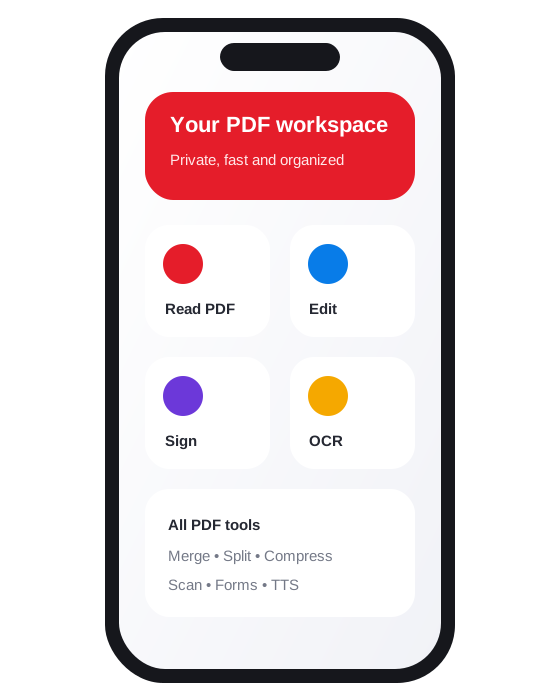
From opening a contract to scanning a receipt or extracting text from an image, each tool is built around a clear mobile workflow.
Open local PDF documents, navigate pages, zoom, use night mode, work with password-protected files and share or print when needed.
Add notes, drawings, highlights and visual annotations, then save a new output while keeping the original document available.
Combine documents, extract page ranges, reorder pages, rotate them or remove pages you no longer need.
Capture paper documents with the camera, build multi-page PDFs and recognize text from supported document images on the device.
Create reusable visual signatures, position them on PDFs and complete supported interactive form fields.
Use text-to-speech for document text, organize files in folders, share through Android and use supported printing services.
The app is designed to process documents locally and does not provide an application-owned cloud account or document upload service.
Advertising, consent, billing and downloadable OCR components are provided through Google services and are covered in the Privacy Policy.
Core document workflows are local. Internet access can still be used for ads, privacy choices, Google Play purchases, policy pages and the initial download of compatible OCR components.
Use dEz PDF Reader Editor Viewer for personal, education and business document workflows while keeping control of where exported files are stored and shared.
Prepare files, choose the correct order and create one organized PDF without losing track of the originals.
Capture clean pages, avoid shadows and create a readable multi-page PDF from paper documents.
Improve recognition accuracy and turn supported document images into copyable text on Android.
No application-owned server receives your documents. Reading, editing, scanning and OCR are designed to run on the device whenever possible. Google services may provide advertising, consent, billing and downloadable OCR components under their own policies.
Yes. The app does not require an account. Your folders, preferences and working files remain associated with the app on your device.
The app includes PDF reading, annotation, merge, split, compression, page organization, scanning, OCR, visual signatures, supported form filling, text-to-speech, sharing and printing.
OCR recognition runs on the device. On first use, a compatible language model may need to be downloaded through Google Play services, which can require an internet connection.
Optional one-time Google Play purchases may remove ads, remove branding from future new outputs, or unlock Lifetime Pro features. Prices and purchase status are provided by Google Play.
Because there is no app account, you can delete local app data from Android Settings, uninstall the app and remove exported files from your chosen storage location. The Data Deletion page provides detailed steps.
Download dEz PDF Reader Editor Viewer from Google Play.